



Online Guitar Tuner
Use this free online guitar tuner to tune your guitar. You may use this to tune any type of guitar that has 6 strings such as an acoustic, electric, or even classical guitar. For a guitar with 12 strings visit our 12-String Guitar Tuner. This is initially set for the standard EADGBE guitar tuning. If you need a different tuning you may adjust the notes to your liking, or use the presets on the right. For other methods on how to tune your guitar go to our Guitar Tuning Methods page. See instructions below the tuner for usage.
If you have problems with this tuner check out our HTML5 Guitar Tuner.
Check out our old guitar tuner.
Instructions: To tune your guitar, first you need to know what tuning you want the guitar to be in. The standard tuning for 6 string guitars is EADGBE. If you want to tune it in standard form then you don't have to change any of the notes above, because it is initially set to EADGBE. If you want a different tuning then try some of the presets on the right side of the guitar tuner. If you don't find the tuning your looking for then you have to adjust the notes manually. Once you have set up the notes and have the correct tuning. Then click on the buttons one at a time and then tune your corresponding guitar string to the note. The thickest string on the guitar is the 6th string, and the thinnest is the 1st string. It tells you what string it is on each button. Also, be careful on how high you set the notes, because I have included notes on the tuner that would probably snap average guitar strings. Good luck.
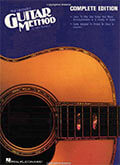

Now that you have your guitar tuned, you can get to playing it. The Hal Leonard Guitar Method



It is not and it will never be! \m/_
UwU
GET-TUNED IS NOT DEAD
lml ( > o < ) lml
Guitar Tuner
https://yousician.com/guitar-tuner
Guitar Tuner
https://yousician.com/guitar-tuner
packers and movers
Great Article! I read your article. Thanks for sharing with us.
https://www.shiftinindia.com/packers-and-movers-delhi-to-mumbai
Thanks very much. I no longer have a piano so this website is a musical life saver,
grant
crank um up
grant
crank um up
gfrghjklkjbdszdfghgnmggg
plater
I love to test the key that sounds the best to my ear concert pitch is not the voice of many guitars because of materials used I have never used an electronic device to tune there is no ear training in that me thod your tuner trains my ear and I can play chords in a more comfortable scheme a superior tuner players need to hear the note tones thanks
https://www.springcleaning.ae/
Bring your personal property back towards maintained condition with this “Deep Clean”. Our Huge Clean certainly is the initial housecleaning service, before entering into a Basic Clean repairs and maintenance program. It is scheduled in the form of one effort service (think that: Spring housecleaning or pre-holiday housecleaning! )#). Has the software been too much of since your office or home has been about the consistent housecleaning program? Is cleaning scum creating in any shower
spring cleaning UAE Dubai For Booking: +971 551124624 Tel: 04 3999411
It was a good and helpful article.
Hi I have just bought a 12 string guitar never played one before, I have been advised to down tone the tuning to D.G.C.F.A.D. to reduce the tension on the strings,but my standard tuner dose not allow for a C and F how do I get around this problem?[ frustrated]Terry thanks
Fat Tuner is the only tuner I'll ever use.
Stewarttoomo
wh0cd673919 <a href=http://strattera247.us.com/>strattera amex</a> <a href=http://genericcrestor.us.org/>CHEAP CRESTOR</a> <a href=http://amoxicillin875mg.us.org/>amoxicillin azithromycin</a>
i love it, and it is free! thank you!!
I've been looking for a tuner like this for ages. Thank you so much!
slide
i am lefthanded and learnt to play upside down. now i am practicing slide usually open E. thanks so much.
I really like the non-standard and open tunings.
Is a lot of fun learning to play using different tunings!
Boompatat